Windows 7 / Vista Aero UI chrome
Windows 7 / Vista Aero UI chrome
Section titled “Windows 7 / Vista Aero UI chrome”Related: Frutiger Aero · Y2K · Nightcore · Nekoweb and plain HTML · Linux desktop shells (skeuomorph era) · README
Summary
Section titled “Summary”Windows Aero (Vista 2006 → Windows 7 2009) is polished OS glass: translucent blurred borders, live thumbnails, Flip 3D, Segoe-like humanist sans. It is a canonical UI specimen of Frutiger Aero, not the whole aesthetic.
Win7 chrome ≠ early-2000s anime web. Win7 is corporate OS polish (DWM glass, taskbar previews). Anime shrines (Y2K anime branch / Nekoweb and plain HTML) are DIY HTML maximalism. Overlap is era + personal computer romance, not the same materials language.
Branding lore often glossed as Authentic, Energetic, Reflective, Open.
Confidence: High on glass / DWM / live-preview cues as period UI. Low on pixel-accurate blur / lighting recipes without side-by-side OS screenshots and MS style guides.
Visual language (Win7-specific chrome)
Section titled “Visual language (Win7-specific chrome)”- Blurred translucent borders (“glass”)
- Live taskbar / Alt-Tab thumbnails
- Subtle window open/close motion; Flip 3D as period flourish (not a modern UX requirement)
- Reflective title bars over colorful wallpapers
- Humanist UI sans (Segoe UI lineage) — calm, legible
Steal for product UI
Section titled “Steal for product UI”- Frosted top bar / sidebar over soft wallpaper
- Rounded glassy cards with 1px bright rim + soft inner highlight
- Soft drop shadows (not harsh Material stacks)
- Optional “OS window” framing as ornament, not literal Windows skinning
Motion
Section titled “Motion”| Cue | Product guidance |
|---|---|
| Soft fade/slide of windows; preview peeks | 150–300ms ease-out fades; avoid bounce spam |
| Flip 3D | Period flourish only — do not recreate as navigation |
Do / Don’t
Section titled “Do / Don’t”- Treat Aero as chrome vocabulary inside a wider Frutiger Aero materials system.
- Prefer CSS
backdrop-filter+ soft gradients over parody skins. - Keep glass on nav / modals / cards — not every panel.
- Pair with nature/aurora wallpaper language from Frutiger, not GeoCities tiles.
- Don’t copy Windows glass so literally it looks like a parody skin.
- Don’t recreate Flip 3D as navigation.
- Don’t equate Win7 chrome with anime-shrine craft or Nightcore thumbnails.
- Don’t mash bevel Y2K buttons + Aero + glitter tiles without hierarchy.
Iconic references
Section titled “Iconic references”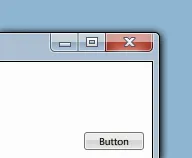 Figma recreation of an Aero window chrome (glass title bar, caption buttons) — freely licensed stand-in for proprietary OS chrome.
Source: Wikimedia Commons — Aero UI.png · License: CC BY-SA 4.0 (Hstoops) · Note: original Win7 screenshots are often non-free on Commons; this recreation is used for rights-safe reference.

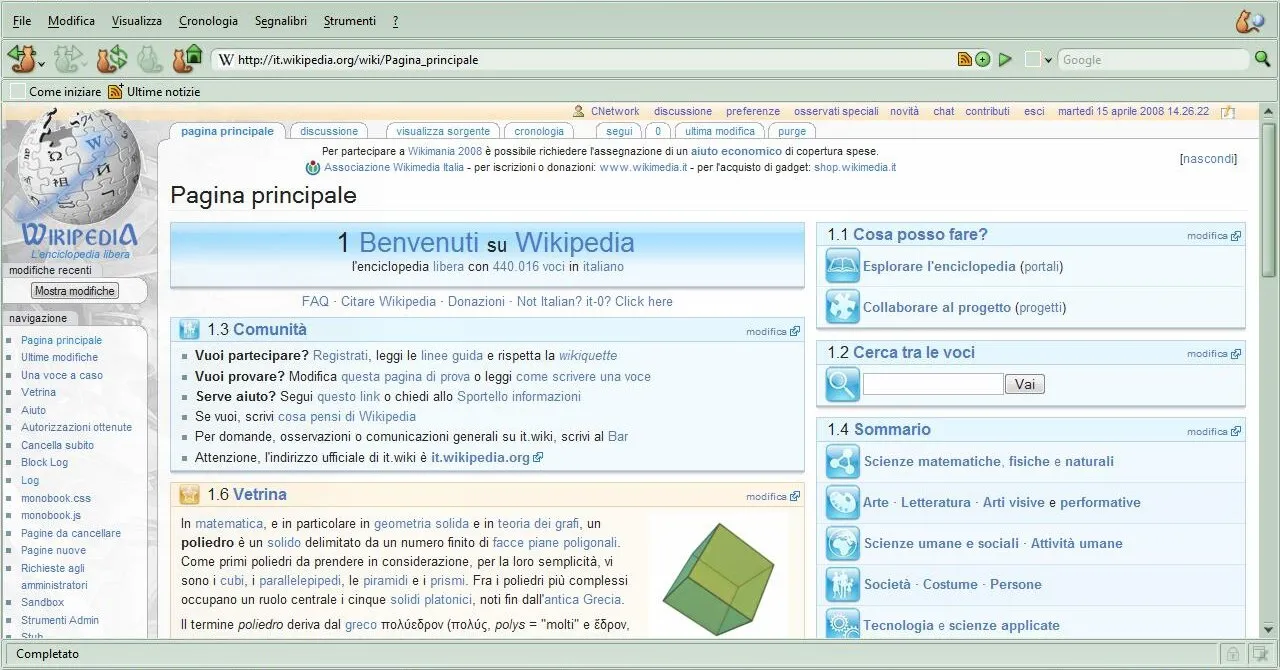 Firefox on Windows Vista Ultimate — period desktop with Aero glass framing a free browser (composition captures era glass chrome).
Source: Wikimedia Commons — FirefoxVistaUltimate.jpg · License: CC BY-SA 4.0 · Caveat: includes proprietary Windows UI elements hosted on Commons; used here for personal vault research of Aero look.

Sources
Section titled “Sources”- Windows Aero / DWM history (MSDN archive articles)
- https://en.wikipedia.org/wiki/Frutiger_Aero — Win7 as specimen
- https://frutigeraeroarchive.org/history — Aqua → Aero → flat walkthrough
- https://commons.wikimedia.org/wiki/Category:Windows_Vista_screenshots — Commons policy caveats on proprietary screenshots